
Originally Posted On: https://fello.com/blog/how-to-book-one-stop-event-tech-rental-for-a-multi-day-conference
What You'll Need
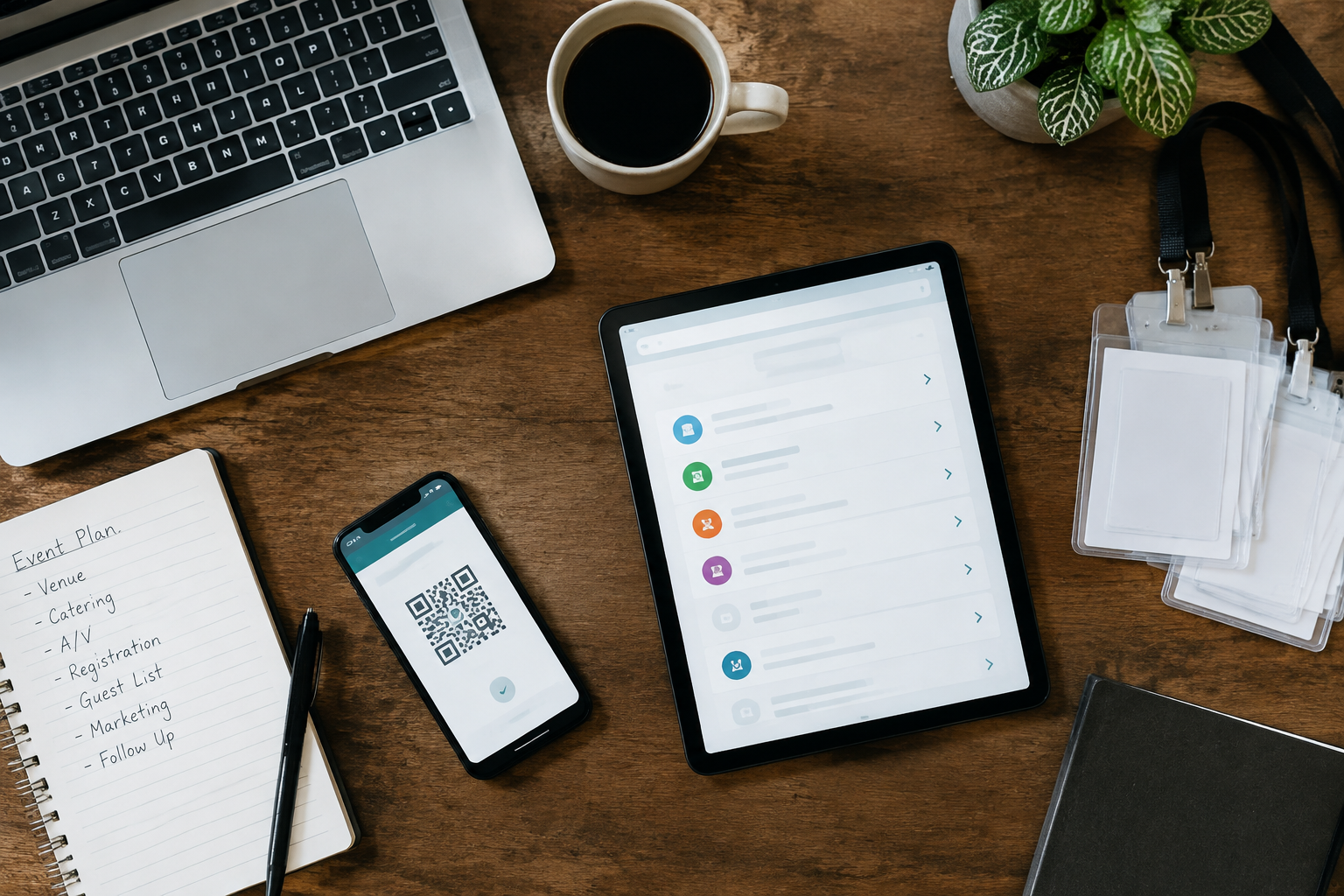
Gather these before you start. Most of it is information you already have, not equipment.
-
Conference dates and daily schedule: first load-in day, each session day, and the last day devices need to ship back.
-
A room and station list: every session room, registration desk, hall, and exhibit area that needs a device.
-
Expected attendee count: your registration total, plus a rough sense of how many people arrive at once on opening morning.
-
A count of simultaneously active devices: only the ones that will connect to the rented network at the same time, not every phone and laptop in the building.
-
Your software accounts and logins: registration, scanning, or payment platform access, so apps and settings can be preconfigured on the rented hardware.
-
Venue connectivity details: what the house Wi-Fi offers, whether cellular signal is reliable, and whether there is an outdoor spot with a clear view of the sky for a satellite terminal.
-
A delivery contact and address: someone who can receive and check boxes before the event, plus where returns will be packed and handed off.
-
Your support preference: remote support comes with the rental. On-site technicians and a virtual concierge are optional.
-
A business account: rentals are for registered businesses and organizations, not individuals.
Skills: non-technical. If you can read a floor plan and a schedule, you can do this.
Approximate time: plan a focused planning session to build your room list — device counts, then a short stretch to order through our Event Tech Rentals catalog. Order well ahead of your load-in date so inventory and delivery windows stay open.
A three-day conference can lose its momentum in one morning. Badge printers sit idle while a line wraps past the coffee station, and a session room scanner can't find a network. Nobody planned for any of it, because nobody owned it.
That's the real problem with juggling separate vendors for check-in, badges, kiosks, and connectivity. Each one works fine alone. Together, they leave gaps, and the gaps land on a small team that's already stretched thin across concurrent sessions and a fixed schedule.
A one-stop event tech rental changes who holds the thread. One provider ships configured hardware, handles delivery and returns, and answers when something needs attention. You make one set of decisions instead of five. Fewer handoffs, fewer surprises.
But booking it well takes some groundwork.
Rooms, device counts, software accounts, and the venue's internet all shape what you order and when. Get those right up front and the rest moves quickly.
What You'll Get Done and What to Have Ready Before You Start
A medical society's meeting director opens a three-day conference with 12 breakout rooms, a registration desk — a hall full of exhibitors. Her check-in iPads came from one vendor, badge printers from another, and the Wi-Fi from the venue. When something stalls, three support lines point at each other. A single one stop event tech rental setup avoids that tangle.
The Result: One Vendor for Check-In, Badges, Kiosks, and Connectivity
By the end of this guide, you'll have one order covering every device the conference needs. A preconfigured event tech rental means apps and settings can be set up before shipping, so staff can plug in and start. One contact handles delivery, questions, and returns.
Materials to Gather: Dates, Room List, Attendee Count, and Software Accounts
Collect these first. Each one shapes what gets packed and how it's labeled.
-
Dates: load-in day, each session day, and the day gear leaves the building.
-
Room list: every space needing a device, so equipment can be labeled per room.
-
Attendee count: expected registrations, plus how many arrive as walk-ups.
-
Software accounts: your registration, scanning, or payment logins. You supply the accounts, and the rental team configures the hardware to match.
-
Venue connectivity notes: what the house network offers and where outdoor space exists for a connection terminal.
Have these in one document. The order goes faster, and nothing gets missed.
Step 1: Map Every Session Room, Registration Desk, and Hall to a Device List
Start with a floor plan, not a catalog. A multi-day conference runs on specific spots: registration desks, session rooms, exhibit halls, speaker ready rooms. Write each one down, then list what that spot needs to work. This is how a one-stop event tech rental order gets built correctly, and it makes a complete event tech rental far easier to scope.
Count Only the Devices That Will Be Active at the Same Time
Don't count every attendee's phone, watch, or laptop. Count only the rented devices that will connect to the event network at once. A guest's personal hotspot doesn't use the event's internet, so leave it off the list.
-
Registration: check-in iPads, badge printers, scanners.
-
Session rooms: scanners for attendance, plus a spare per room.
-
Exhibit hall: kiosks and lead capture devices.
Network capacity depends on the setup, so check the router's published requirements before you finalize totals.
Assign Devices Per Room for Multi-Day Schedules
Label every device by room and day.
Sessions run on a fixed schedule, so nobody has time to sort gear at 8 AM. Pre-kitted, labeled shipments per location make this simple, and event tech rental nationwide shipping brings them to the venue ahead of load-in.
Hand the finished list to your rental partner. Configured hardware, delivery, and remote support all start from that one document.
Step 2: Match Hardware to Each Job: iPads, Laptops, Scanners, Badge Printers, and Kiosks
Which device does each task at your conference actually need? Start by listing the jobs, then assign hardware to each one. A one-stop event tech rental works best when every device has a clear role.
Pair each job with a device
-
Registration desks: iPads or laptops, plus badge printers for walk-ups.
-
Session access: Bluetooth or USB scanners at each room door.
-
Self-service check-in: kiosks that cut staffed-desk lines.
-
Speaker-ready rooms: laptops for presentation management.
-
Back-of-house: laptops for staff running reports and reprints.
iPads suit mobile roles, while laptops fit anything needing a keyboard or heavy multitasking. Keep the count honest: tally only the devices that will be active at once, not every device on the floor.
Keep it bundled
Devices that work together save setup time. An event check in and pos rental can bundle a tablet, printer, and cash drawer so they arrive as one working system. Apps and settings can be preconfigured, which helps when volunteers or temp staff get only minutes of training.
Connectivity belongs in the same conversation.
A turnkey event tech rental covers network options alongside the hardware, so check-in doesn't stall when venue Wi-Fi struggles.
iPad is a trademark of Apple, Inc. We are not affiliated with Apple, Inc.
Step 3: Plan Connectivity for the Convention Space (Cradle Routers, Device-Level Cellular, or Satellite)
A single cradle router can serve up to 75 devices, with 3 GB of 4G LTE included. That figure is a ceiling, not a target. Planners should count only the devices that will connect to the rental network and stay active at the same time, such as check-in iPads, badge printers, and scanners. Attendee phones and guest hotspots don't count, although a crowd of hotspots can add wireless congestion.
When House Wi-Fi Is Weak: Primary or Backup Options
Convention networks are often shared, throttled, or priced per connection. Any of the three options below can serve as the main link or as a backup.
-
Device-level cellular: suits roaming staff and scanners at doors. It doesn't build a shared local network.
-
Cradle routers: suit indoor rooms with shaky house Wi-Fi, provided cellular signal inside the hall is usable.
-
Satellite: suits venues where neither house Wi-Fi nor cellular is dependable.
An event tech rental for businesses that pairs connectivity with preconfigured hardware removes one more vendor from the checklist. Devices can be preconfigured with required apps and settings before they ship.
How an Outdoor Satellite Terminal Can Feed an Indoor Network
Satellite doesn't work indoors. The terminal needs a clear view of the sky, so it sits outside, often on a loading dock or in a lot, with a cable running to a router inside. Guests and staff connect to that indoor network, not to the dish. Confirm placement and cable routing with venue management early. For multi-day programs, an event tech rental with support adds optional on-site specialists or a virtual concierge.
Step 4: Choose Your Support Level and Place the Order Through Our Event Tech Rentals Catalog
Most planners assume a multi-day conference needs a technician standing beside every device. It doesn't. Remote support is included with each rental, and the paid options exist for specific situations, not as a default.
Match Support to the Event
-
Included remote support: ordering guidance, setup help, and troubleshooting during the event.
-
Virtual concierge (optional): a dedicated rep assigned to your event, with direct phone, chat, and video.
-
On-site technical specialists (optional): staff at the venue for high-profile or multi-room events.
A conference running concurrent sessions across several rooms is the usual case for adding on-site help. A small single-room meeting often needs nothing beyond the included support.
Place the Order
-
Confirm your dates, device counts, and delivery address.
-
Pick your hardware bundles and any connectivity you need.
-
Choose your support level.
-
Check out online, or ask a sales specialist to review your list first.
Buyers who want one vendor for devices, delivery, and help can request event technology rental and setup in a single order. Prefer to see numbers before committing? Ask for an event tech rental quote and compare it against your plan.
We can preconfigure devices with your required apps and settings. Send those details with the order.
Step 5: Prepare for Delivery, Setup, and Return Across the Full Conference
Picture a hypothetical three-day conference where the boxes land at the hotel loading dock, but nobody on the team knows who signs for them. The registration iPads sit in a hallway overnight. Nothing broke. The plan just had a gap.
Good event technology deployment starts with a named receiver, a staging room, and a return plan written before the first device ships. A one-stop event tech rental should cover all three, so the team isn't chasing several vendors.
Mistakes That Cause Trouble and How to Fix Them
-
Skipping the receiving contact. Give the venue one name and one phone number for every shipment.
-
Tossing packaging. Keep the original boxes and foam. They're needed for the return, and prepaid labels are included.
-
Ordering late. Last-minute bookings can cause rush fees or inventory gaps, so plan ahead.
-
Ignoring the venue network. If house Wi-Fi looks shaky, ask about a cradle router or an outdoor Starlink terminal feeding the indoor network.
How to Verify Everything Works Before Doors Open
Do a walk-through the day before. Power on each device, open the check-in app, and scan a test badge. Then run a test payment on every POS station.
-
Count devices against the packing list.
-
Confirm each unit has its preconfigured apps and settings.
-
Label stations by room or role.
-
Brief volunteers for ten minutes, no more.
Teams that rent tech for events from us get configured hardware, delivery, and remote support. On-site technicians are optional if the schedule is tight.
How-To FAQ
How far ahead should I book tech for a multi-day conference?
Book as soon as your dates and room list are set. We recommend ordering about two weeks before the event, and booking inside that window can trigger rush fees or inventory gaps. Larger multi-room deployments need more lead time for labeling and kitting, so start earlier if you can.
How do I figure out how many devices to order?
Count each station and room that needs a device, then add the ones you want on hand as spares. Skip personal phones and laptops, since they don't use your rental network. For connectivity, count only the devices that will be connected and active at the same time. Router and connection limits depend on your setup, so check them against the platform's own published requirements.
Can one vendor really cover check-in, badges, kiosks, and internet?
Yes, within the categories listed on the live product pages. That includes tablets from the iPad line, laptops, scanners, badge printers, kiosks, and event connectivity. Confirm each item on the live catalog for your dates. Your own software accounts stay yours, and we can preconfigure devices with the required apps and settings.
Is satellite internet only for sites with no other connection?
No. It can be a primary or backup connection whenever the venue's internet isn't strong enough. The terminal sits outdoors with a clear view of the sky, and a cable feeds the network inside. We rent Starlink hardware but aren't a Starlink partner or reseller. Coverage at a specific address can't be promised, so plan a fallback.
What support comes with the rental, and what costs extra?
Remote support is included with every rental. On-site technicians and a virtual concierge are optional add-ons. For a multi-day, multi-room conference, an on-site specialist is worth pricing out early.
What happens if a device stops working mid-conference?
Contact support right away and describe the room and the symptom. The team responds fast and can work through troubleshooting remotely or arrange a swap where possible. Keep a spare labeled and charged near your registration desk so a swap takes seconds, not a shipping cycle.
How do returns work after the last day?
Prepaid return labels come with the shipment. Keep the original boxes and foam, and repack each room's devices together so check-in is quick. The order needs to be in UPS's hands by your rental end date.
A multi-day conference runs on small decisions made weeks ahead. Planners who map each room and desk to a device list, count only what will be active at the same time, and match the right hardware to each job tend to reach opening morning with far fewer loose ends.
Connectivity deserves the same attention.
Venue internet can fall short, so a Cradlepoint router, device-level cellular, or an outdoor satellite terminal feeding an indoor network can serve as a primary or backup connection, depending on the setup. Support is part of the same decision. Remote help is included with rentals, and on-site technicians or a virtual concierge are optional add-ons.
Fello
10 Park Pl Ste 503,
Butler, NJ 07405
(888) 528-6288
https://fello.com


